Share it! Science : robotics
Showing posts with label robotics. Show all posts

STEM Learning with Makeblock's mBot Ultimate 10-in-1 Coding Robot Kit

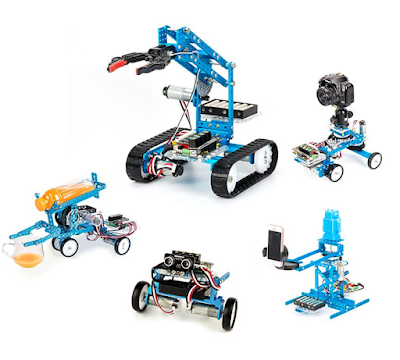
We have been enjoying playing with our new mBot Ultimate robot from Makeblock. I was fortunate to be asked to review this product, and the kids and adults in our house have had fun building and experimenting with our first build, the "Robotic Arm Tank" robot. 
 
Makeblock creates products for STEAM education that help people turn their "ideas into reality". The mBot Ultimate 10-in-1 coding robot kit will certainly inspire teens and families who love to build and engineer to explore robotics and coding in depth. Read on to find out what we liked best about this robot building kit.
 
STEM Makeblock Ultimate Coding Robot Kit
 
Please note: I was given this product free of charge and invited to honestly review this product and become an affiliate of Makeblock. I was not otherwise compensated to write this post. This post contains affiliate links, meaning I receive a commission from purchases made through these links, at no additional cost to you. Please see disclosures for more information.


Unboxing mBot Ultimate 10-in-1 Coding Robot

The mBot Ultimate comes with a ton of pieces and components to build 10 robots with different features. It's essentially a modern erector set with metal support pieces, motors, sensors and a circuit board. 
 
STEM Makeblock Ultimate 10-in-1 Coding Robot Kit


The box consists of 2 layers of pieces. The instruction booklet has a detailed listing of parts with illustrations. After building our first robot, I would highly recommend familiarizing yourself with all the parts prior to building. Some of the hardware is very well organized and labeled, while other parts are not. If I was going to use this in a classroom, after-school team or club setting I would be sure to either label the hardware in advance or dedicate time to allow students to identify which piece is which. 

STEM Makeblock Ultimate 10-in-1 Coding Robot Kit
 
The instruction manual has the directions for the Robotic Arm Tank, which is what we built, the Beverage Robot, and the Camera Dolly.  You can follow a link in the manual to directions for the other builds, however if you speak and read English you will have to translate the page to English with your web browser. In order to download further instructions you must create a free account on the site. After quite a bit of digging, we found easier access to the additional builds. You can find the instructions for the additional robots here in .pdf form. 
 
You can also find additional help and resources for the Ultimate 10-in-1 Coding Robot here.  

STEM Makeblock Ultimate 10-in-1 Coding Robot Kit


Building the mBot Ultimate Robot

This was not a quick build, but it resulted in a sturdy robot that my kids want to keep playing around with. I would highly recommend this kit for the teen who has a vested interest in engineering and robotics. Like any building project there is some trial and error especially when building with so many small parts. Patience and the willingness to make adjustments as you go is key! The mBot Ultimate would be perfect for an older child who has experience creating with LEGO, or building with tools. However, it would also be a great project for any age with help from an adult. 

Even my preschool and elementary school aged children enjoyed tinkering around with the pieces and built their own creations as we went. 
 
There are no special tools needed to assemble the robot. The one screwdriver needed is included in the kit. 

STEM Makeblock Ultimate 10-in-1 Coding Robot Kit

STEM Makeblock Ultimate 10-in-1 Coding Robot Kit


Coding and Playing with Makeblock's mBot Ultimate Robot

Once the robot was built, it was not difficult to get it up and running. There are many options for coding the mBot Ultimate robot. Beginners can use the mBlock app for simple block coding. For more advanced coding it is compatible with Arduino or Python coding combined with Raspberry Pi. 

We used an iPad to remote control our robot with the app available from Makeblock. Here is a peek into what the app looks like as you are using it to control the robot, and while you are coding. 

https://www.makeblock.com/?ref=UJWJzPw-bQClUh&utm_medium=5544&utm_source=influencer 
And here is our robot in action, helping us tidy up! 


Makeblock mBot Ultimate 10-in-1 Robot: Summary

Overall, we really enjoyed the process of building, coding and interacting with our Makeblock mBot Ultimate robot kit. I would recommend it based on the quality of the parts, the versatility of the components and the ability to build 10 different projects with one kit. I liked that the compatibility of the robotic components with various coding apps and languages, such as Arduino, Python and components compatible with Raspberry Pi, gives basic coding options for beginners, and gives experts the opportunity to try something new. 
 
The robot kit is STEM through and through with a good combination of each STEM discipline: technology through coding, science and technology through the use of sensors, math in the measurements and sizes of components, the engineering process through building, testing, trial and error.

makeblock STEM robotics


The kit comes at a higher price point, but for the right kid or family the mBot Ultimate would be a great investment as there is a lot of play and learning value here. There are also many other robots and products available from Makeblock in a range of prices that would meet the need of different budgets, ages and learning goals. 

Use code: SAVE10 for $10 off your first purchase!

Teachers can join Makeblock's discount program and purchase kits for their classroom. Learn more here.
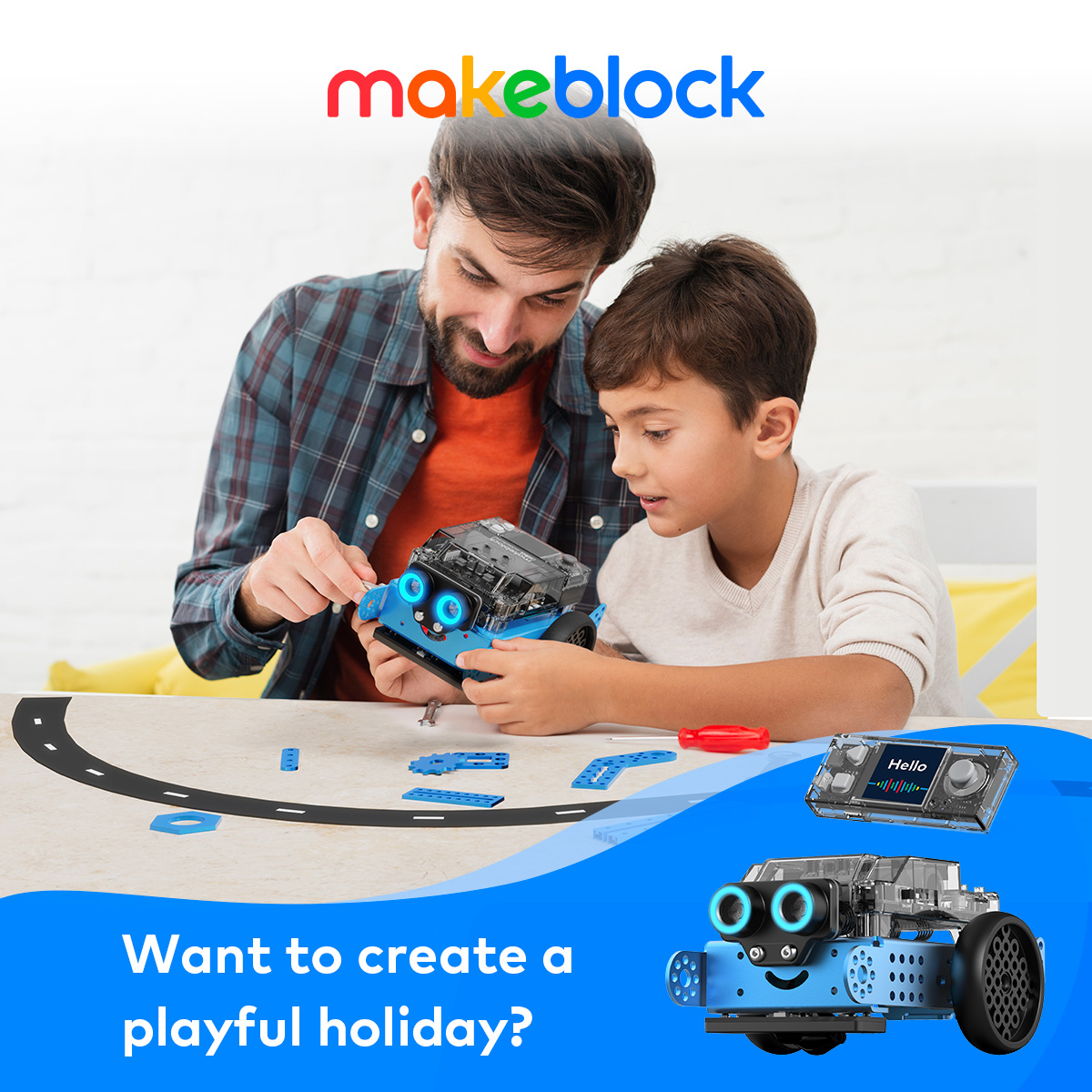

Would we recommend Makeblock's mBot Ultimate 10-in-1 Robot Kit? Definitely. We are already thinking of what we might be able to do with our next mBot Ultimate build. Check out Makeblock! I think you and your favorite little (or big!) engineer will be glad that you did.

Children's STEAM Festival: Exploring Kid's Opportunities in Technology

It is Day 2 of the Children's STEAM Festival, and today we're focusing on TECHNOLOGY! Read on to find excellent resources for coding, making and robotics in addition to some technology activities kids can try at home. Then pop on over to Growing with Science where Roberta will take you to a high-tech fashion show and give some ideas on how to make your own high-tech clothes.

What do think of when you hear the world technology? Gadgets and gizmos? Words like digital and internet may come to mind. Although we are surrounded by technology in the digital gadget sense, if you look at the definition of technology, you may find other meanings.

Technology: the use of science in industry, engineering, etc., to invent useful things or to solve problems. A machine, piece of equipment, method, etc., that is created by technology.

Technology doesn't have to mean digital- simple machines like the wheel and axle and inclined plane are technology. Anything that helps us to solve problems can be a type of technology. There are many opportunities available for kids to put their problem-solving skills to the test while using technology. The movements to teach kids to code, make and engineer are propelling the need for skills that require an understanding of digital technology to create.

Let's explore some resources for coding, making and robotics and wrap it all up with some fun technology activities.

Coding for Kids
There are many great resources for getting students involved in computer coding. Coding can teach skills that not only help and inspire students to create digital products, but also to model science projects, interface with hardware and create art. Although I am a huge advocate for getting children outside and reducing screen time, coding is a great way to promote sequencing and patterning skills and inspire creativity for those moments when children are plugged in.

http://code.org
Code.org is a great resource for introducing kids to coding. Free courses are for all ages, including early elementary. At Code Studio you can find all sorts of coding lessons. In addition to the digital learning aspects there are also "unplugged" activities that get kids moving and completing tasks away from the computer. 


hourofcode.com
Code.org is behind The Hour of Code. The Hour of Code is an international event meant to introduce all ages to computer science and to help spread the word that learning to code is possible for anyone. To learn how you or your school can participate, visit their website.


Tynker.com is fee-based online coding course. Students learn to create and can share their creations. You can check the STEM projects out here. They have a free starter lesson plans for teachers. 

tynker.com

This article at Edutopia reviews some wonderful, FREE, coding apps for a variety of ages. Code for Kids is a Canadian program with many resources available as well.

Maker Movement for Kids
Technology like the availability of 3D printers has brought the maker movement to new, exciting levels. Making and inventing are really where technology and engineering (tomorrow's STEAM festival topic) come together. Techopedia defines the maker movement as "a trend in which individuals or groups of individuals create and market products that are recreated and assembled using unused, discarded or broken electronic, plastic, silicon, or virtually any raw material and/or computer related device." Makerspaces are popping up in libraries and community centers. These are spaces where kids and adults have access to technology and tools that they can use to make an innovate.

You can use the Maker Ed directory to find makerspaces and making events and opportunities in your area. This directory is powered by The Connectory which is a directory for finding STEM opportunities. Both are worth investigating further! Maker Ed's website also has a bank of resources and project ideas.

http://makered.org

Maker Kids is a Canadian based organization that teaches kids and educators 3D printing, electronics, woodworking, robotics, etc. You will find lots of great ideas and resources here as well. Make magazine and their blog and website are chock full of projects and inspiration from other makers. If you are looking for a project idea for this summer, this should be one of your first stops!

Although setting up a dream makerspace can run into a lot of money, there are more and more affordable options and initiatives to get tools and technology into the hands of schools and groups who are inspiring innovators. Makerbot Education is a great place to start. Right now Inventables is running a contest to get a 3D carver into every state, with hopes to have them in every school by the end of the decade. You can apply to win one for your school here.

A great at-home bit of technology available for making and creating are littleBits. (affiliate link) littleBits are electronic components that can be used to essentially invent anything. These would be a great gift for the inventor in your life. Take a peek at their project gallery to see some of the possibilities!
(affiliate link)
Education

*8/25/2015 Edit: littleBits is having a great back to school sale! 15% off everything- check it out here!

Robotics
The use of robotic technology increases student's understanding of science and allows them to engineer machines that can accomplish specific tasks. Robotic competitions have been building kids skills in teamwork and critical thinking for years.

http://www.usfirst.org/roboticsprograms/frc
If you are interested in becoming involved in robotics or competition, you'll want to check out the U.S. FIRST Robotics competition for 9th-12th graders. Inventor Dean Kamen began FIRST in 1989. His mission was to help young people discover the rewards and excitement of science and technology. This program has grown to add Lego Leagues for younger age groups. Lego Mindstorms robotic kits are used in these competitions and can be purchased for building and programming robots at home as well.
(affiliate link)


Technology Activities
Try the activity "Passion for Pixels" from the PBS's SciGirls. Click "Download" under the picture on the left. After learning about digital images and pixels, kids can "transmit" images to each other on graph paper. No computer needed! This activity models how remote-sensing satellites take images from space, turn the images into digital information, which is then transmitted back to Earth where computer programs reconstruct the numbers and codes back into a visual image.

"Electric Messages: Then and Now" is an activity from Try Engineering where kids can investigate how new technology has changed the way we communicate. Kids build a simple telegraph machine (using a battery, wire and a light bulb) where they can learn about communicating with Morse code.  How is this different than how we communicate today? What were some of the challenges or benefits?

Coding Resources
Making Resources
Robotics Resources
Application of Technology in the Sciences
Activity Links
Thanks for exploring technology with me today! I'm looking forward to sharing STEAM ideas with you all week! To review our schedule and find links to all of the festival posts, click the Children's STEAM Festival button below.

http://www.shareitscience.com/2015/06/announcing-childrens-steam-festival.html

Meet "Robochick" and "Flipperbot"

     Wildlife biology can be tricky business. In order to study different animals in their natural habitat you must get close to them. Getting close to them can cause them to act in an unnatural way- potentially defeating the purpose of the research. More and more often biologists are finding ways to use technology to aid them in obtaining the data they need in less intrusive ways. Scientists studying Emperor penguin populations found that they could use robotic rovers to get up-close without causing stress amongst the penguins. In order to read the tags used in wildlife monitoring studies, scientists need to get within 60 centimeters (2 feet) of the animals. When scientists try to get this close to the penguins, it elevates their heart rate. They found if they sent in a rover, in this case a rover disguised as a penguin chick, (or robochick) the penguins reacted the same way they do when another penguin walks by. The penguins even tried to vocalize with the robochick. 


     Robotics can also help scientists to understand wildlife physiology. Researchers at Georgia Tech  were studying the locomotion of sea turtle hatchlings over different substrates. During the research the students observed that the hatchlings used a particular motion of the wrist of their fin to move effectively over the loose sand and gravel. Back at the lab they engineered a robotic turtle or "flipperbot" to examine how this motion might help the turtle move over different types of terrain. The idea is to use what they have found in the lab to predict what they might see in nature, and then make further observations to see if these predictions come true. Additionally, there are applications in robotics and engineering that can be derived from learning about effective motion in wildlife. 


     Robotics is certainly only one of the ways technology is used in wildlife biology. GPS tracking, motion cameras and other devices have made observing animals in less invasive, and in turn, more accurate ways possible. The possibilities are endless when we are willing to reach across disciplines and use all the tools available to us.

Read More:


Wildlife Biology and Robotics Resources